Redis Is Small: What I Learned Before Installing It
Redis runs on none of my servers yet. What I did instead: read the docs, then weigh whether one more process earns its keep on a small site.
On this page
Redis shows up in nearly every docker-compose example I’ve read lately. The app, the database, then one extra block with a service called redis and a short comment: for caching. I’ve never run it. No server I look after has a live Redis process, and that’s still true.
All I’ve done is read the docs and think it over. This isn’t a setup guide; I haven’t got that far. I’m not questioning whether Redis is useful. What I’m weighing is whether one more process earns its keep on a site as small as mine, and what I’d measure first.
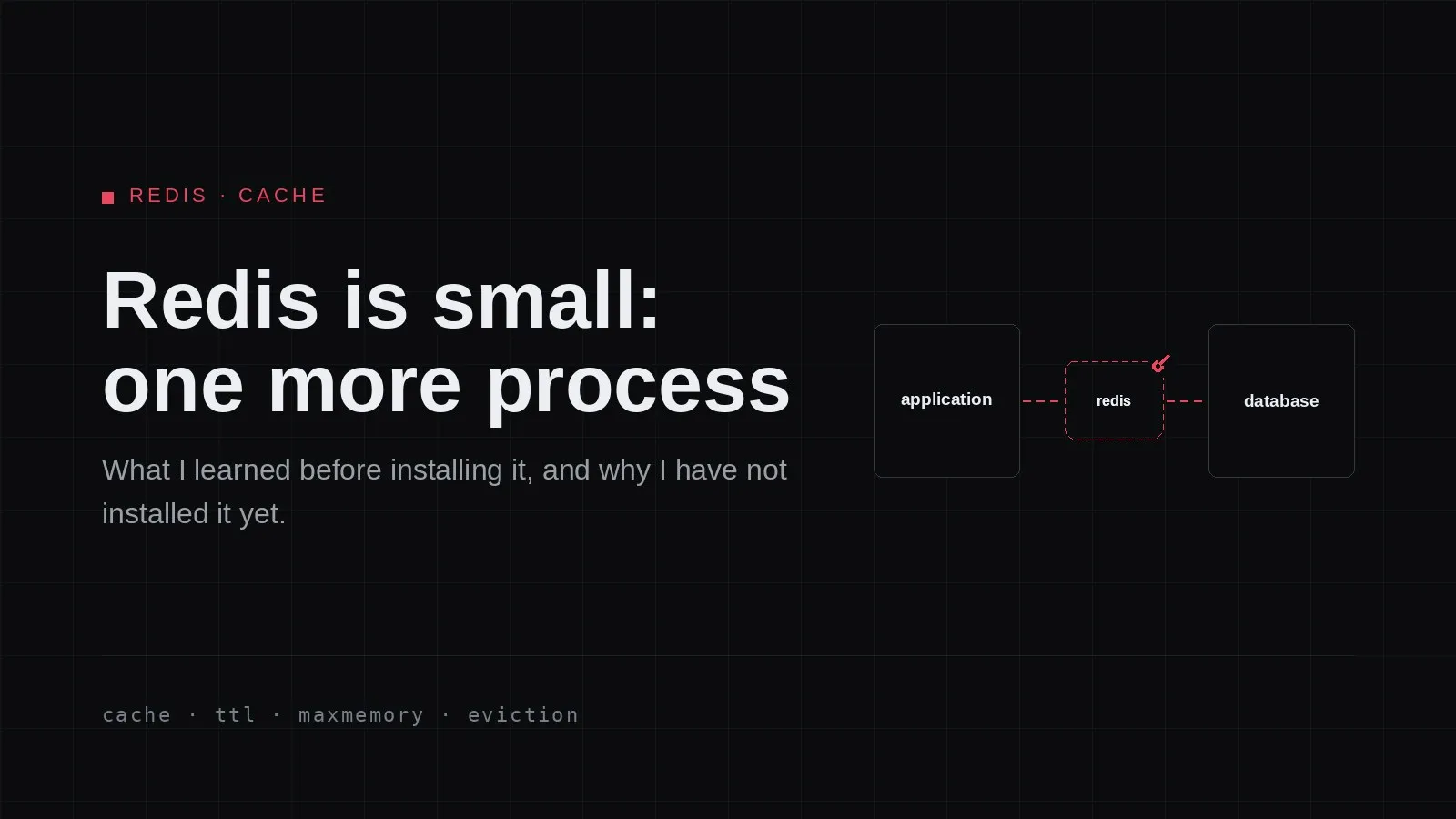
The word “small” is easy to misread here. It isn’t about how the page feels. It’s literal: Redis is another process on the same machine, next to the app and the database already there. Look after one server, and the number of things to keep alive goes up by one.
Small means one more process
That process drags along work the tutorials skip. A port to open on the internal network, a log file to check when something looks odd, a systemd unit or compose service that has to come up whenever the box reboots. One more thing to watch. And if Redis dies, the app doesn’t die with it; it just asks the database again for every request, or — if the code isn’t ready — throws errors.
Two things I added earlier, a CDN and a CI build, each added a failure point too. I suspect Redis is in the same family, so I wanted to know its failure shape first. Then there’s the boring part: updates. One more version to keep up with.
A copy, not the source of truth
The database is the source of truth. If it’s gone, the data is gone. It holds everything, including things nobody asked for. Redis isn’t that. It holds answers to questions whose shape I know, filed under keys I pick. The values sit in memory, in shapes that vary: plain strings, name-value pairs (hashes), ordered lists, unordered sets. All of them work. What surprised me: writing through one command is immediately readable through another, no separate save step. Whether that survives the process stopping is a persistence setting, not the write — two separate things I’d assumed came as a package.
So the pattern goes: the app needs the latest posts. Before asking the database it peeks at Redis under a key. If the answer is there, that’s what gets used — a cache hit. If not, it asks the database and stores the result in Redis with an expiry, so the next request skips the trip. That’s a miss.
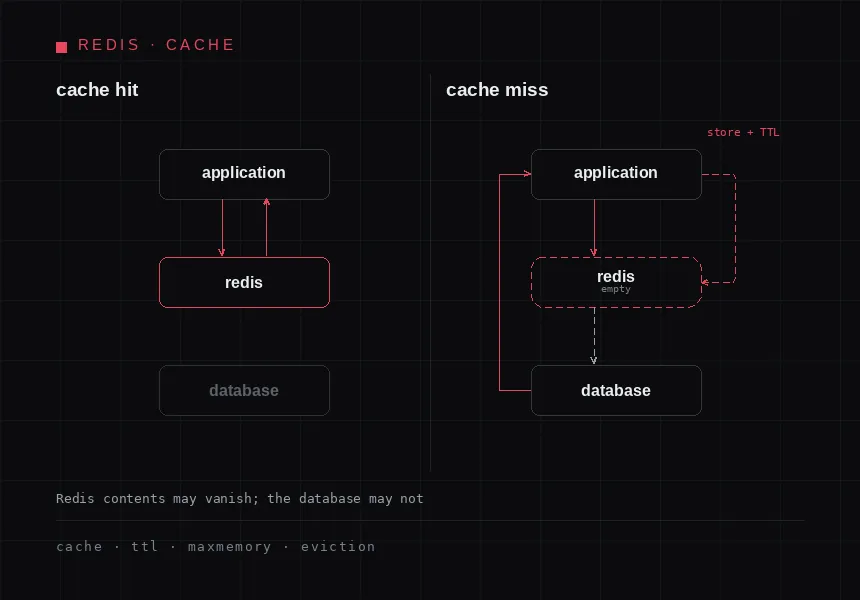
Two paths for one request: on a hit the answer stops at Redis; on a miss the app reads the database and leaves a copy behind.
The expiry has a name: TTL, time to live. A key with a TTL vanishes on its own once the time is up, so copies don’t pile up forever and stale data has a shelf life. Sounds tidy, until you notice the consequence. Once there’s a copy, two places can disagree. The database says one thing, Redis still holds the old version. Keeping a copy means deciding when that copy stops being trustworthy, and that decision belongs in code, not in Redis.
The filter I use: if the contents of Redis vanished this second, what happens? For a cache, the app must still return the same results, just fetched from the database as before. If the answer is “user data is gone” or “the order was never recorded”, it isn’t a Redis candidate at all.
What the docs didn’t prepare me for
Three things changed the picture, none of them in the compose examples I copied.
The first is persistence. Redis has two ways of putting contents on disk: RDB, periodic snapshots to a file in the data directory, and AOF, a log of every write. With no configuration, only RDB is on; AOF is off. So writes aren’t recorded one by one. There’s a gap between the last write and the next snapshot, and that gap is what goes missing if the process dies abruptly. Persistence here is not the same guarantee as database durability.
My earlier draft was wrong here, and Forge’s test on a throwaway container corrected it: restarting the same container does not lose the data, because Redis writes dump.rdb when it receives SIGTERM. What loses the data is deleting the container and creating a new one without a volume — the data directory goes with it and Redis starts empty. Restart and replace are two different things. I learned that by trying it, not by reading.
The second is memory. I’d imagined a sensible built-in ceiling that dumps old data once full. The defaults say otherwise: maxmemory is 0, meaning no limit, and maxmemory-policy is noeviction — which evicts nothing at all. When memory runs out, new writes are rejected with an OOM error: not a silent failure, but no data sacrificed either. If I want old keys dropped so new writes land, I pick that myself, allkeys-lru for instance. The official list has eight: noeviction, allkeys-lru, allkeys-lfu, allkeys-random, volatile-lru, volatile-lfu, volatile-random, volatile-ttl. That choice decides whether Redis gives way when memory fills, or the whole machine.
The third is licensing and lineage. Redis changed licence at one point, and Valkey came out of it: a fork carrying the earlier version’s codebase forward under a permissive licence, maintained under a foundation rather than a single company. For personal use on one server this probably changes nothing. But if I’m picking an image or a managed service to keep for years, I want to know who maintains it and under what rules.
When a small site doesn’t need it yet
The blog you’re reading is static. No database query runs when a page opens; the content is finished files before upload. Redis there is a process with nothing to do.
Same for an app with one instance on one server. A cache inside the app process — a map with an expiry that lives and dies with the app — gives the same thing with no extra process, no port, no new log file. Once there are several instances, each with a cache the others know nothing about, a shared cache like Redis finally has a reason.
The one most often skipped: if the database isn’t yet what makes visitors wait, a cache solves a problem you don’t have. A layer in front of something unproven just adds one more thing that can break. I’d rather prove a query is genuinely repeated and expensive than install something because it was in every example.
One more reason to wait: you can’t monitor it yet. An unwatched component is more dangerous than an absent one: it can sit dead for months while still costing attention.
What I’ll measure before deciding
If I do install it, the decision should come out of measurements, not an article like this one.
First, which questions actually repeat. I’ll take that from query and app logs, not a feeling. If the list is short, or full of cheap questions, the matter ends there.
Second, which parts may be stale. Every key needs a clear answer to how long it may disagree with the database. If the answer is “not at all”, the key doesn’t go in.
Third, what happens when Redis dies. I’ll kill it on purpose in a test environment and see whether the app still returns the same results. If it doesn’t, I’ve built a dependency rather than a cache — and dependencies get treated like the database: watched, restarted automatically, thought about when they fail.
Fourth, the size of what gets stored. Not an estimate, the actual keys, so I can choose maxmemory and an eviction policy on purpose.
Fifth, a before-and-after. What I’ll record: how long the page takes to finish loading on the visitor’s side, how many queries reach the database, and how often the cache hits versus misses. Those numbers come from Redis itself through INFO, in the section holding keyspace_hits and keyspace_misses. One note from Forge I kept: EXISTS counts as a miss, so if my code calls it often just to check a key, the hit ratio can look worse than reality.
Sixth, who watches it. If the answer is “me, when I remember”, it isn’t time yet.
Until then, Redis stays small in the sense that makes it easy to install, and big enough in the sense of the decisions it brings along. I don’t mind installing it. I just won’t do it because it happened to be in an example I copied.
References: Persistence — Redis documentation, Memory optimization & maxmemory — Redis documentation, redis.conf configuration — Redis documentation, Valkey.